
Page
Dashboard
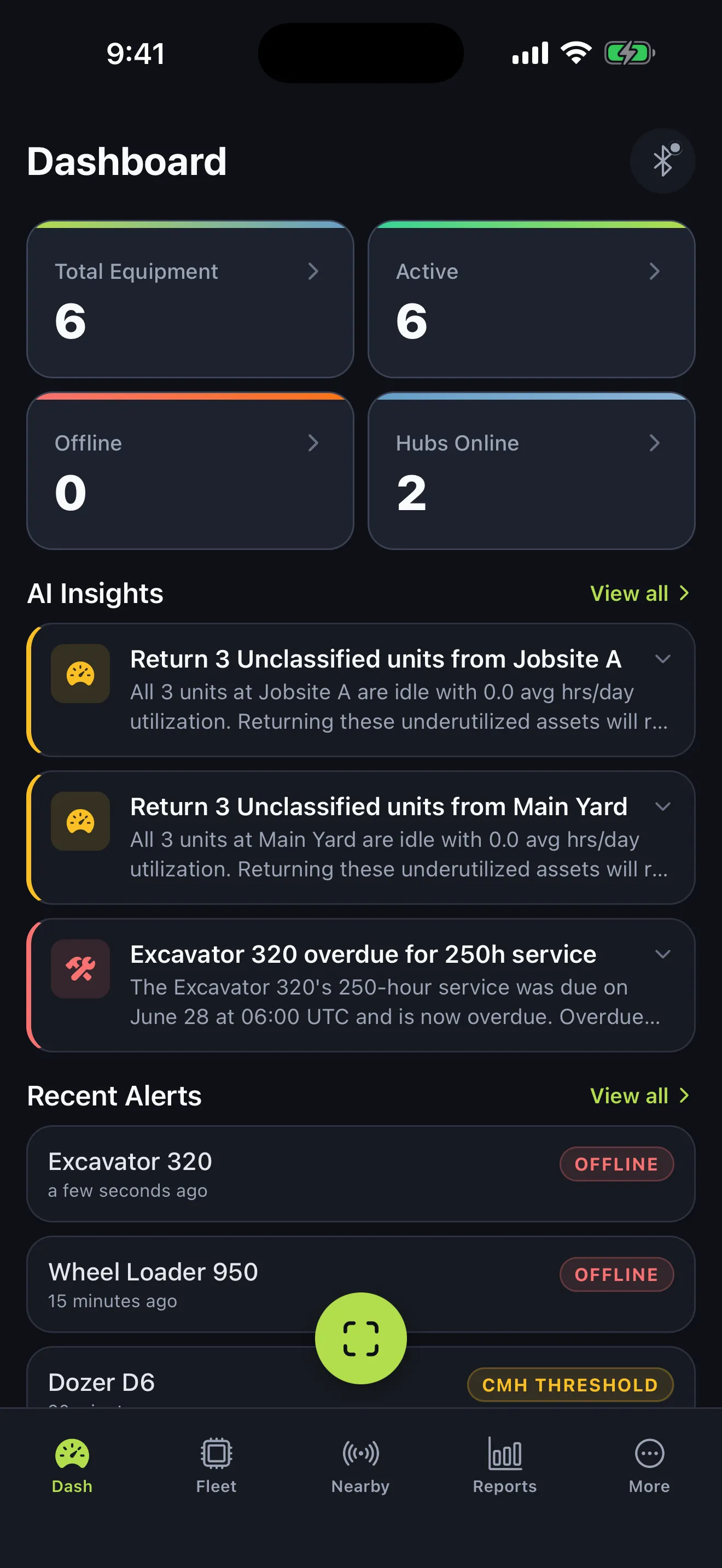
One screen, updated live. Asset count, online/offline split, hub status, recent alerts, and the utilization trend — re-rendered in place as events land.
Echolo ships the whole stack: hardware, firmware, ingestion, storage, and Fleet — the app your team actually logs into. No duct tape between vendors, no finger-pointing at 3am.
Three layers. Each one owned end-to-end by us.
01 · Track
Small, rugged tags pick up every few seconds. No OBD ports, no VINs, no modems on the asset itself.
02 · Stream
Wired and PoE gateways relay tag beacons to our MQTT broker. Messages queue locally when the site loses connectivity.
03 · Decide
Your team gets live equipment status, hour accrual, hub health, and alerts in a single app — plus on-demand and scheduled reports, without waiting on an integrator.
One pipeline from the tag on the asset to the chart on your screen. Track, stream, and decide — without waiting on an integrator to wire a CSV export.
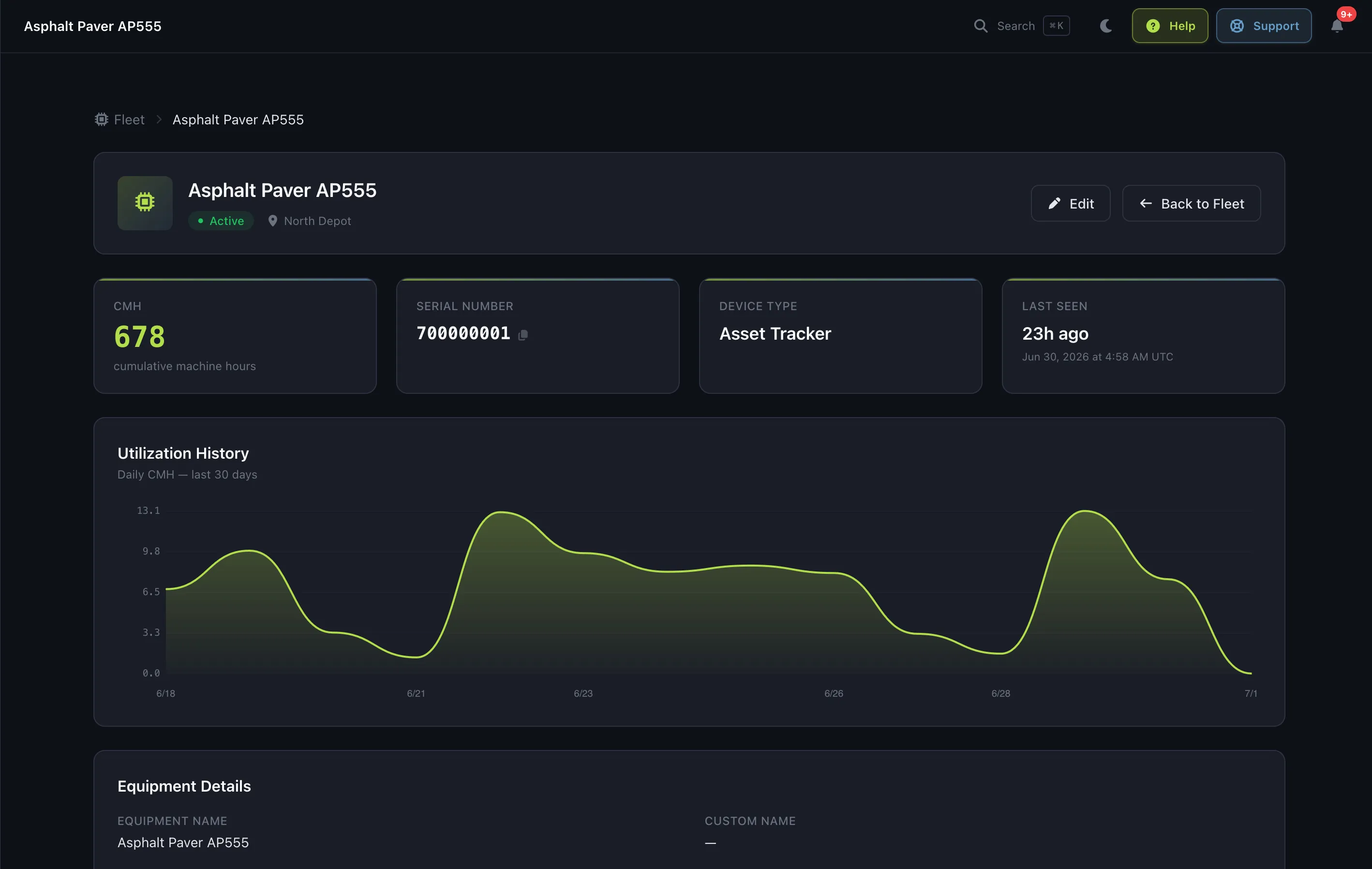
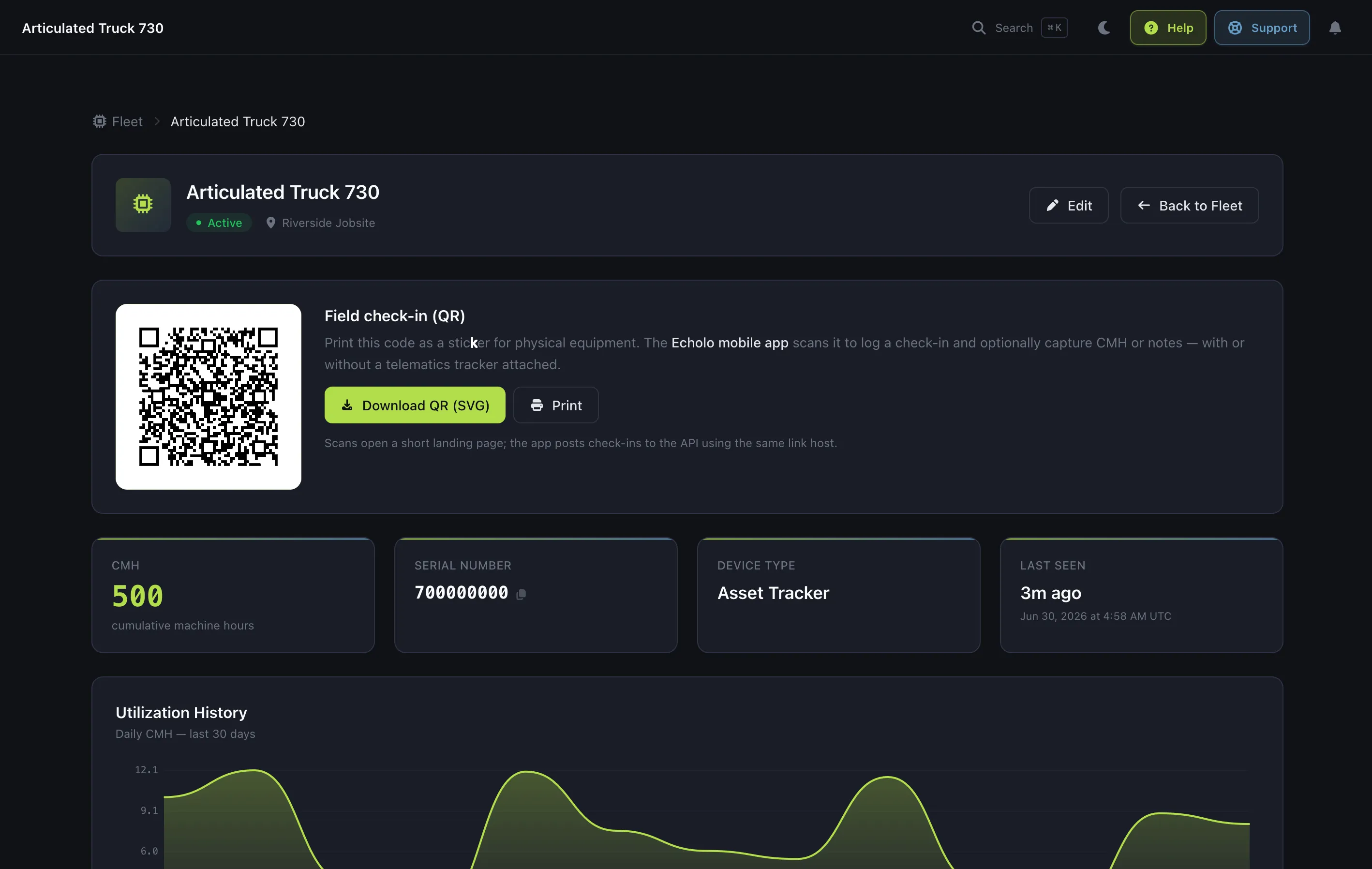
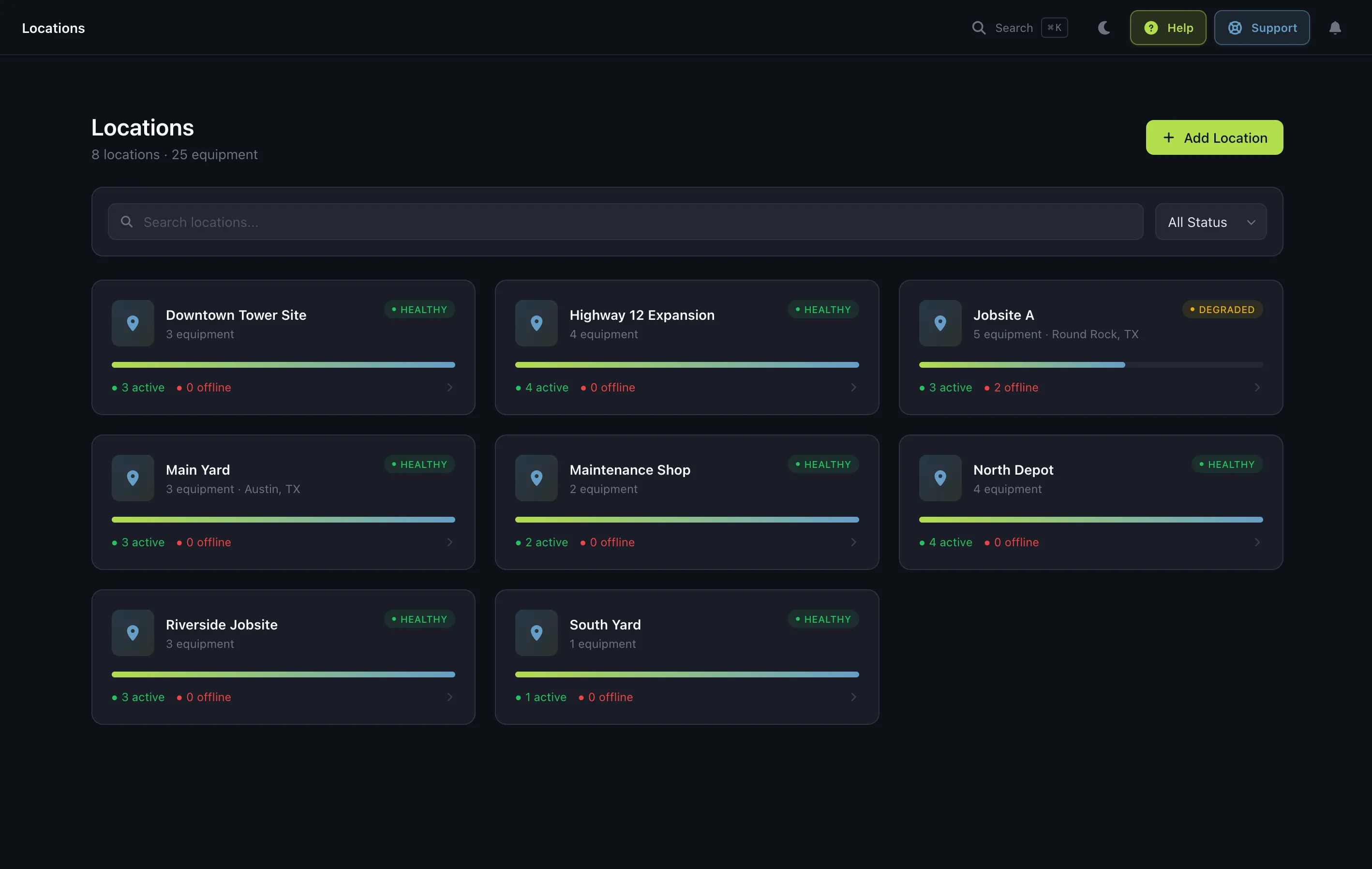
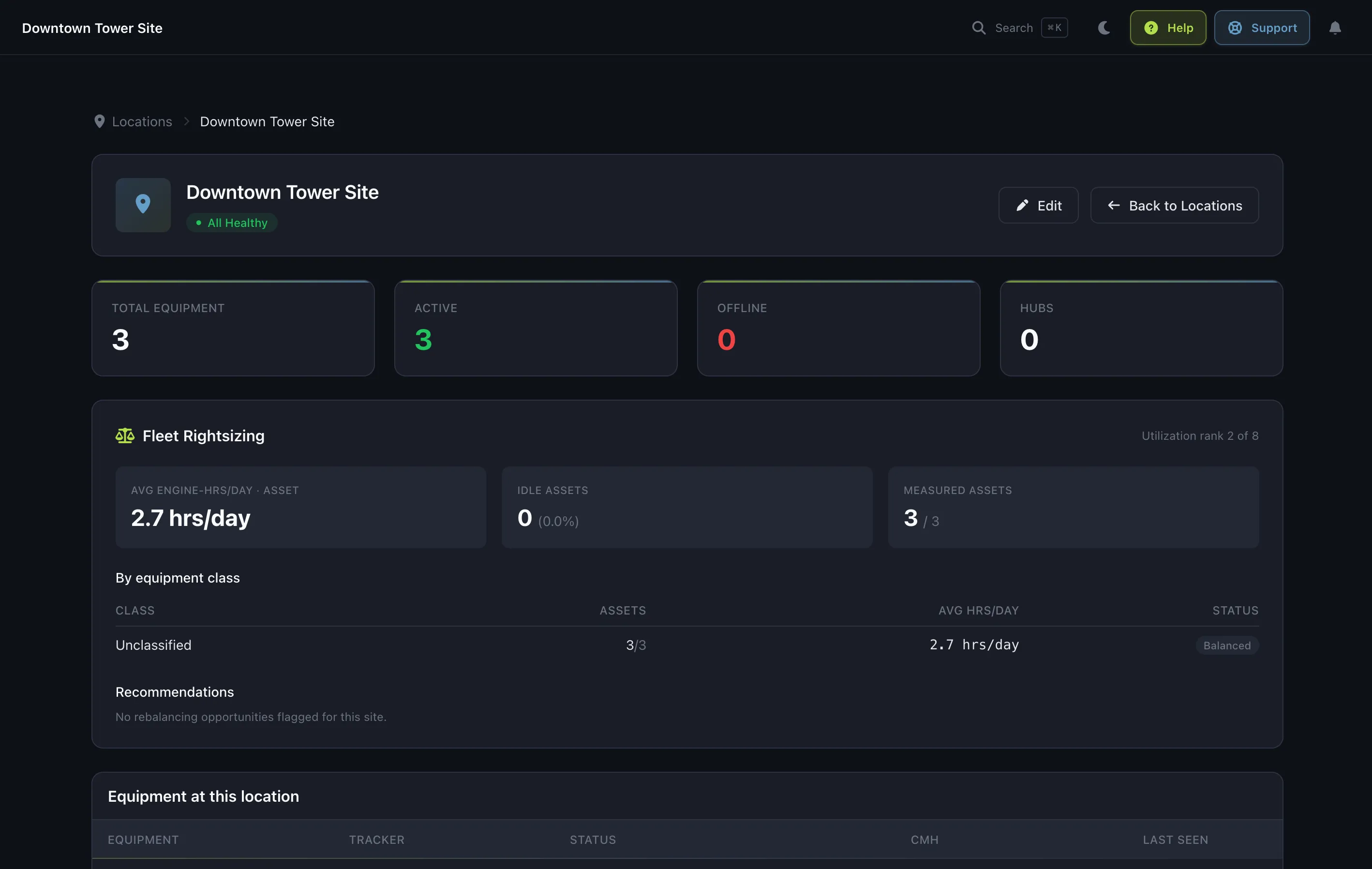
Real views from inside the Fleet web app — the dashboard, an equipment detail page, location management, and AI-driven fleet rightsizing.
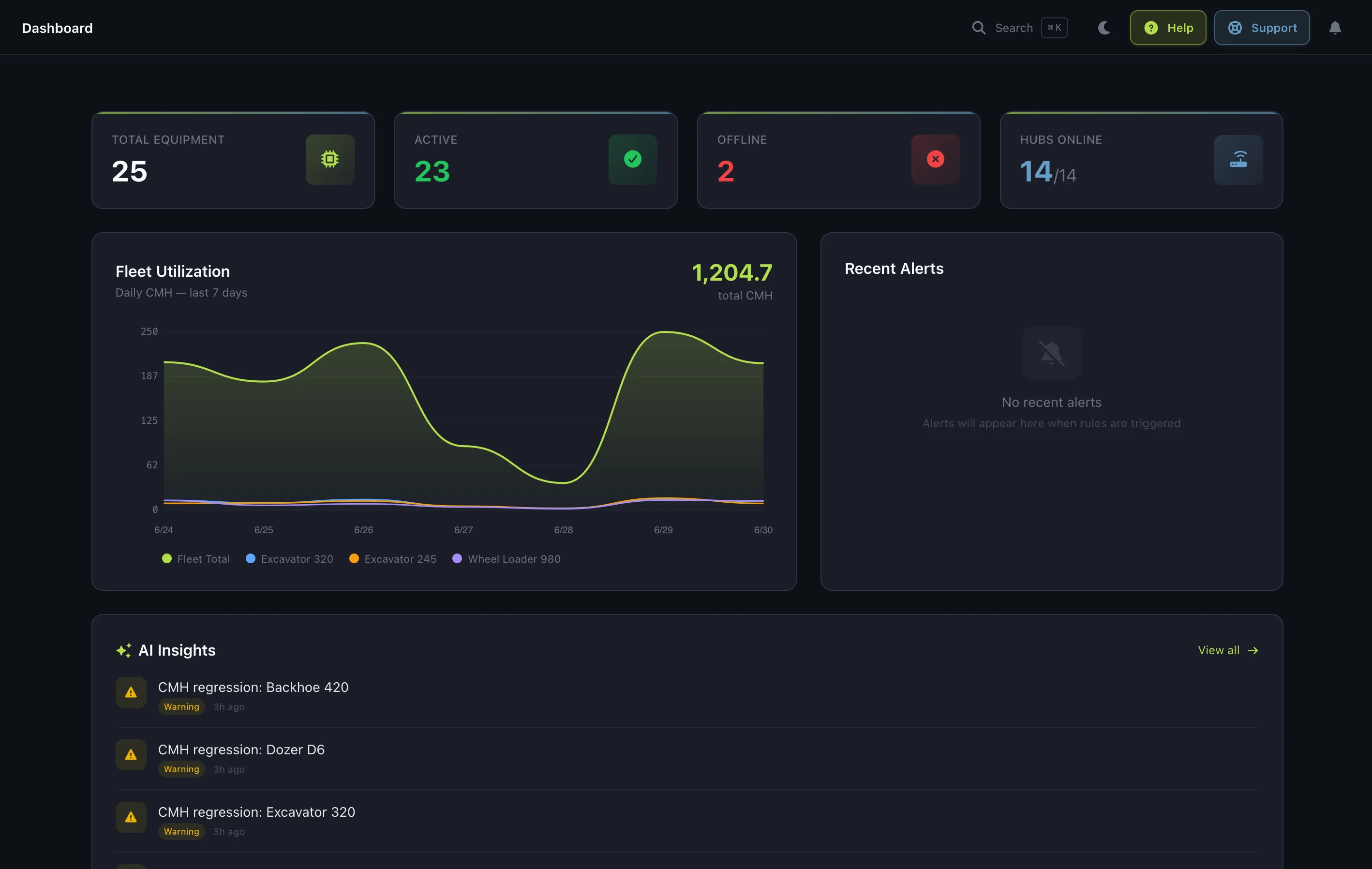
The same platform, in a technician's pocket. Fleet Mobile turns every phone on the job site into a roaming Bluetooth scanner, shows a sunlight-readable dashboard of your fleet, and lets crews scan a QR code to log hours or close out maintenance — even with no signal.
8 pages, 4 platform capabilities, 2 AI helpers — with preventive maintenance and service history at the center. Built for ops leads, site supervisors, and the mechanics who keep it running.
Page
One screen, updated live. Asset count, online/offline split, hub status, recent alerts, and the utilization trend — re-rendered in place as events land.
Page
Recurring schedules per asset — every 250 hours, every 6 months, or both. Fleet checks them nightly against live hours and elapsed time, and generates the order the moment either interval comes due.
Page
Auto-generated service jobs with a checklist, assignee, priority, and due date. Print the QR label, scan it in the field with no login, record the hour-meter reading, mark it done — every completion writes to service history.
Page
Every asset, sortable and filterable. Drill into a device for hour history, location timeline, and its hub handoffs.
Page
One page per job site. Equipment transfers between locations are tracked and logged automatically, with full move history per asset.
Page
Every gateway's battery, signal, last-seen, and firmware — surfaced the same place you look at the assets they watch.
Page
Rules for offline detection, hour thresholds, hub failures. Email + webhook delivery. Badges update via Turbo Streams the moment a rule fires.
Page
On-demand CSV or PDF — utilization, offline, hours summary. Scheduled deliveries to whichever recipients you pick, on whatever cadence fits.
Power
Fix a bad offset in one click. The edit propagates to the ingestion pipeline in milliseconds, and every change lands in the audit log.
Power
Every hour-meter adjustment, every alert ack, every report delivery — stamped, stored, and immutable.
Power
Admins, members, and viewers. Site managers see their yards, execs see the rollup, auditors see whatever you carve out. Email-invited onboarding.
Power
REST for queries, webhooks for push, CSV/PDF exports for everything else. No data lock-in — if you can see it in Fleet, you can pull it out.
AI
A written paragraph in your inbox every morning — what happened in the last 24 hours, exceptions first. 30 seconds to read, not a dashboard to hunt through.
AI
Every on-demand or scheduled report lands with a plain-English preamble on top. 'Here's what this report actually says' — before the numbers.
A continuous hour meter tells you the machine is at 490 hours. Maintenance Orders turn that into a scheduled, assigned, signed-off service — on the record, not on a clipboard.
Set a rule on any asset — service every 250 hours, inspect every 6 months, or both. Fleet checks each schedule every night against live machine hours and elapsed time, and generates the order the moment either interval comes due.
Each due schedule becomes an actionable job — a title, a checklist, an assignee, a priority, and a due date. Need ad-hoc work that was never on a schedule? Create a one-off order by hand.
Print a clean label — a QR code plus the asset and checklist, no app chrome. A tech scans it with the Echolo mobile app, the exact order opens on their phone, they record the hour-meter reading and mark it complete. In the field, with no login.
How an order moves
A schedule is the rule. An order is this week's job.
The other half of a continuous hour meter · Why we built Maintenance Orders → · See it in the field →
Two features. Both concrete. Both already shipping. No "AI-powered" sticker over thresholds that have been a solved problem since 1998.
Every morning, Fleet writes a paragraph about the last 24 hours — equipment movement, alerts that fired, hour accrual, hub-health changes. Short enough to read with coffee, specific enough to act on.
Every on-demand or scheduled report now carries an AI-written preamble — "here's what this report actually says" in plain language, right above the numbers.
What isn't AI
Not everything is a model — and nothing should be when a threshold works.
Built on Claude Haiku via the Anthropic API · Our take on predictive maintenance →
We picked the hardware. We own the firmware. We debug it when it breaks. No reference designs glued together with middleware.
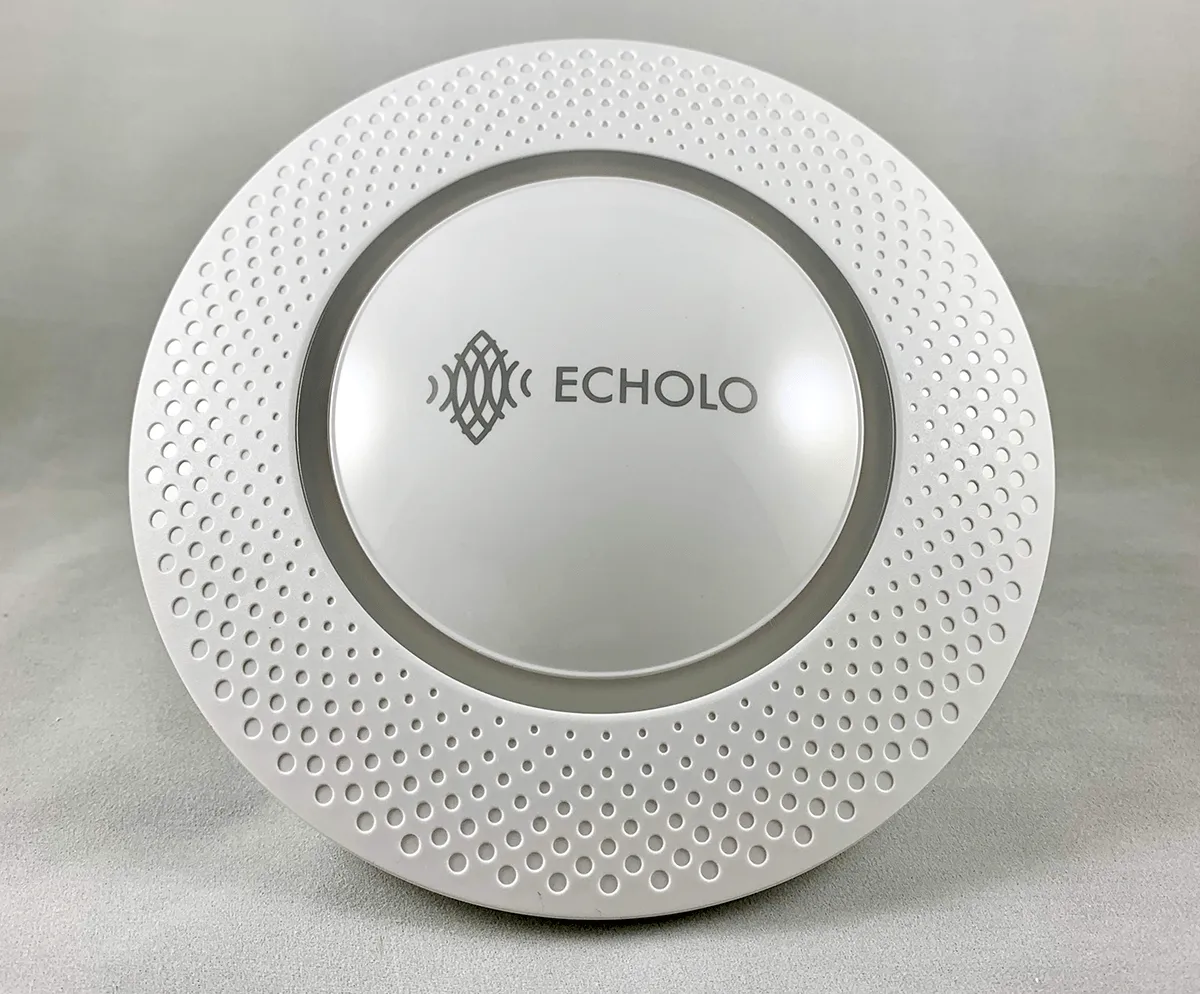 BLE Hub · Indoor
 The indoor workhorse. BLE 5 + WiFi AP in a single box.
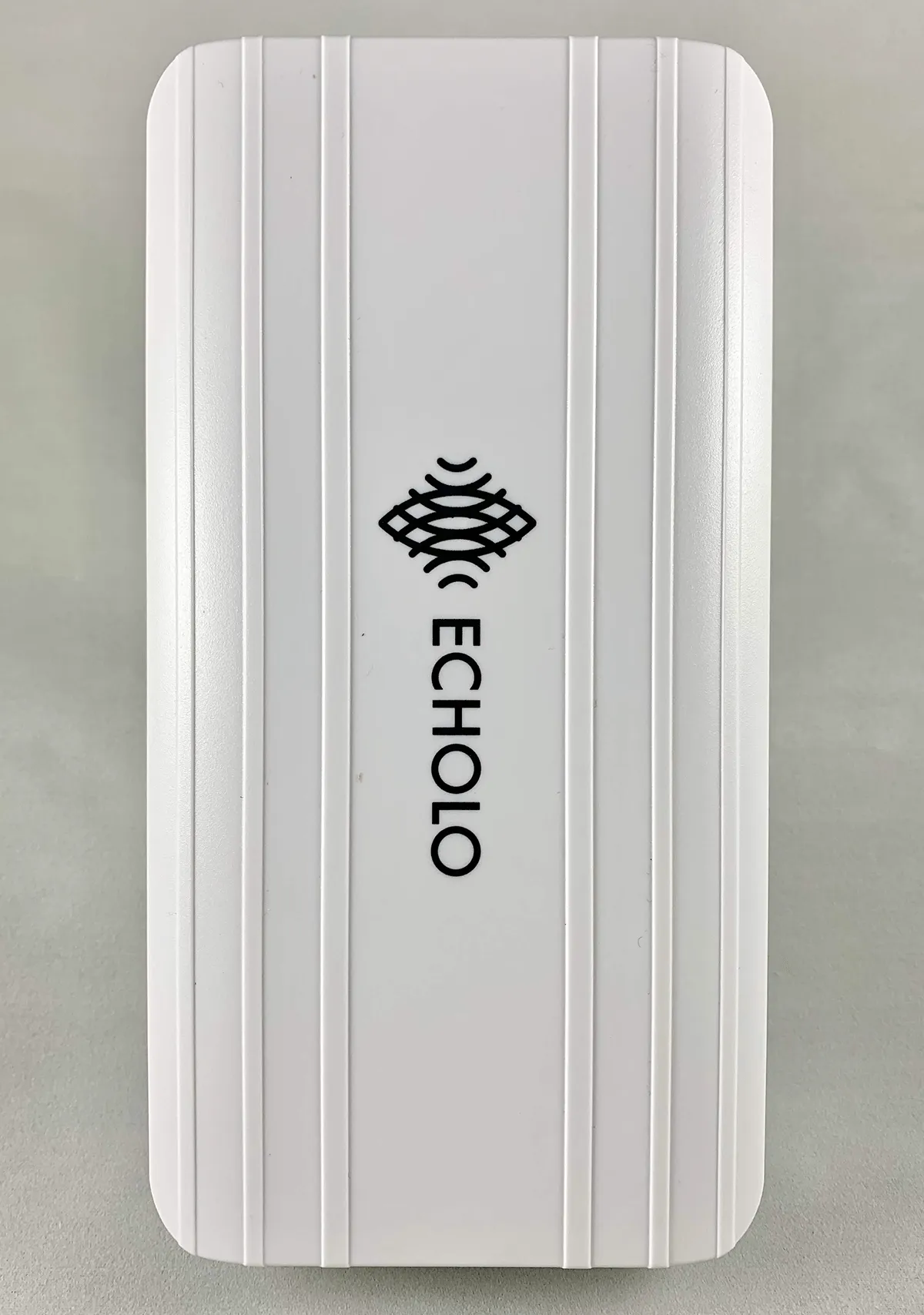 BLE Hub · Outdoor
 The outdoor workhorse. IP54, BLE 5 long-range, zero-config.
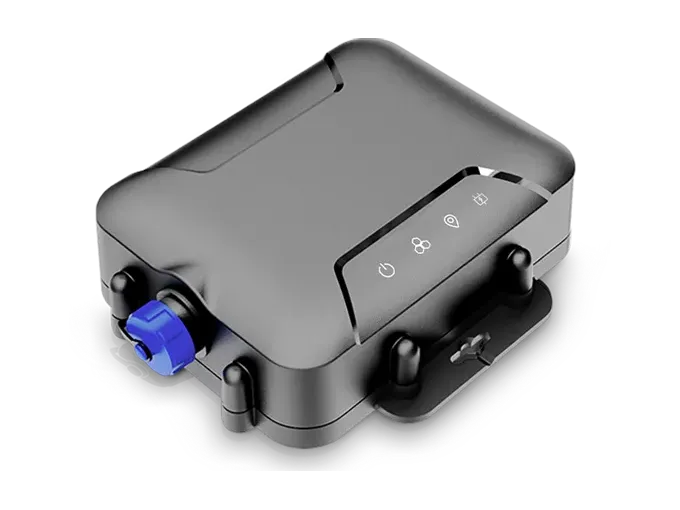 BLE Hub · Outdoor
 Brings its own network. LTE-M built in, vehicle or solar power.
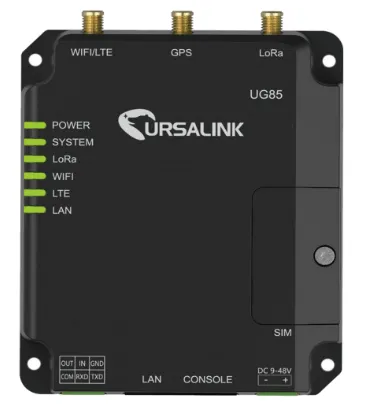 LoRa Gateway · Indoor
 The long-haul hub. LoRa for the sensors BLE can't reach.
Or tell us about your site and we'll spec the mix. Talk to the team.
Full-access JSON API. Paginated, cursor-based.
Push events to your stack. Signed payloads, retry with backoff.
Subscribe to the stream directly if you want the firehose.
Bridge to your existing AWS IoT pipeline.
Bidirectional for enterprises already on Azure.
Hour-meter feed + asset sync for existing asset management.
Echolo ships as a fully air-gapped appliance for regulated facilities, classified sites, or anywhere the WAN isn't reliable — or as a hybrid edge that runs locally and syncs to the cloud on your schedule. Same platform either way.
Twenty minutes on a call. We open Fleet, go through your equipment types, and tell you what a deployment across your sites would take. The person on the call is the person who writes the code.
Request a demo